Customize Your Images with Rounded Corners
Snagit now makes it simple to round image corners and customize your visuals.
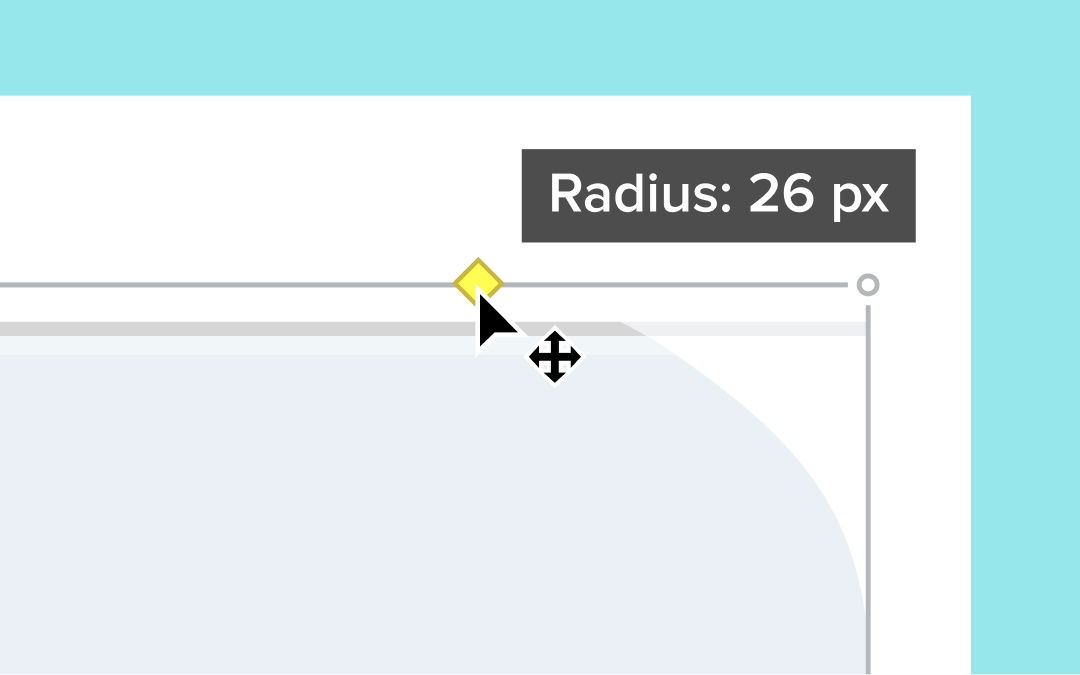
Snagit now makes it easy to round the corners of your images directly in the Editor. Simply hover over the canvas to reveal the yellow diamond handle in the top-right corner. Click the handle to apply a default 20-pixel rounding and drag to adjust the amount to fit your style.
💡 Ways to use rounded corners:
Add a modern, polished look to your images.Customize visuals to match your branding or design aesthetic.Quickly apply rounded corners without using additional design tools.
Try out the new handle in the Editor canvas and give your images a fresh new touch!
Add Narration to Your Images
Record audio over images and create engaging videos or slideshows.
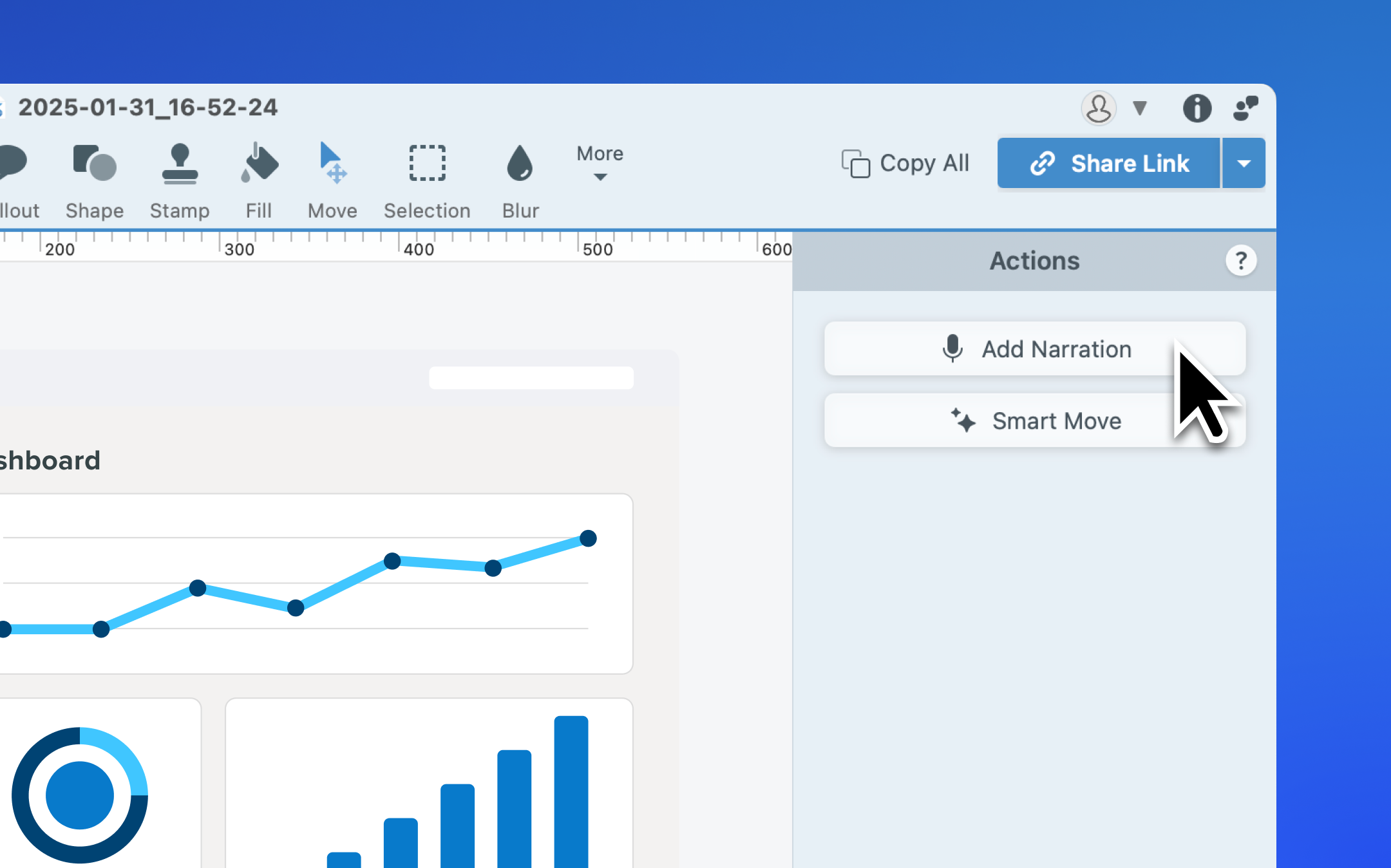
Snagit now includes an Add Narration button under the Move tool, allowing you to record microphone audio over one or more images in your Recent Captures Tray. Create explanatory videos, slideshows, or narrated tutorials directly in Snagit—no extra tools required.
💡Ways to use the add narration feature:
Turn static images into engaging videos with voiceovers.Simplify the process of creating narrated tutorials or presentations.Add clarity and context to your captures with personalized audio.
Click the Add Narration button to start transforming your images into dynamic, narrated content!
Better Account Visibility, Editing Options, and Snagit Tips
Updates to the Account dropdown in the upper-right corner of the editor:Show the user’s profile picture rather than the email address.Show the display name from the user’s TechSmith profile rather than the first and last name.Show a notification icon if a Snagit update is available.Clarified subscription and maintenance expiration dates.Updated the smart move control from a toggle to a button.Added a button to the editor toolbar to quickly send a video to Camtasia for additional editing options.Added context-based tips to help you discover more of Snagit’s powerful features when they’re most relevant.Added a square shape option to the eraser tool to more easily and precisely erase straight lines and individual pixels.Added messaging about the collection of Snagit usage data and where users can change their data preferences.
Enhanced Stability, Sharing Speed, and macOS Alerts
Improved stability when opening large Snagit libraries stored to a cloud service.Improved speed and performance of video sharing when dragging from the recent captures tray.Reduced the number of system alerts that show on macOS 15 Sequoia.
New Deployment Options and Critical Security Updates
Added an option to deploy Snagit with video capture disabled.Removed the sign-in button from the welcome survey when Snagit is deployed with sign-in disabled.Updated OpenSSL to version 3.3.2. This addresses CVE 2021-3711.Updated ZipFoundation to version 0.9.19. This addresses CVE 2023-39138.Updated the End User License Agreement to include use of YouTube API Services when sharing videos to YouTube.Fixed an issue where check for updates still appeared after being disabled via command line.Fixed an issue where the share link button and keyboard shortcut might still work after the Screencast share destination was removed.
Resolved Crashes, Capture Issues, and Sign-Out Bugs
Fixed live measure functionality not working correctly on macOS 15 Sequoia.Fixed a crash that could occur when opening grab text captures in the editor.Fixed a crash that could occur on Snagit startup.Fixed an issue where menu capture could sometimes duplicate menus and submenus in the captured image.Fixed .snagx files to show preview thumbnails rather than the Snagit icon in finder.Fixed the progress bar not advancing correctly when saving a video.Fixed an issue where some color pickers could incorrectly affect the color in other pickers.Fixed an issue where the tab key did not navigate between tool property text fields.Fixed an issue where removing the Screencast share destination would also sign the user out of Snagit.Fixed an issue where users might not be able to sign out of Snagit successfully.Fixed an issue where some text was not properly translated in Snagit trial dialog messages.Other bug fixes and stability improvements.
Improved Messaging and Template Printing Features
Improved messaging and template printing features.
Improved Installation and Licensing for IT Deployments
Added a checkbox to the Snagit installation dialog to acknowledge the TechSmith privacy policy.Updated the End User License Agreement to include use of YouTube API Services when sharing videos to YouTube.
Fixed Explorer Shell Extension and GIF Dialog Overlaps
Fixed an issue where the Windows Explorer Shell extension could be installed by default.Fixed lines that overlapped text in the create GIF dialog for French, Spanish, and Portuguese installations of Snagit.