



Create the Illusion of 3D Perspective (Corner Pinning)
Learn how to pin and adjust a video, image, or text on background media to create the illusion of 3D perspective.

Learn how to pin and adjust a video, image, or text on background media to create the illusion of 3D perspective.

Quickly integrate a video, image, or text with a background in Corner Pin mode. Use corner pinning to:
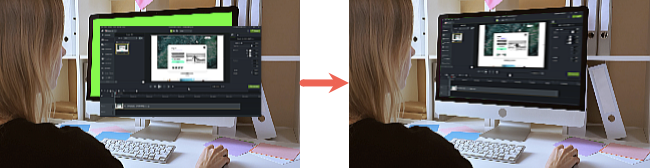
Complete the following to pin media or text to the canvas to integrate it with a background:


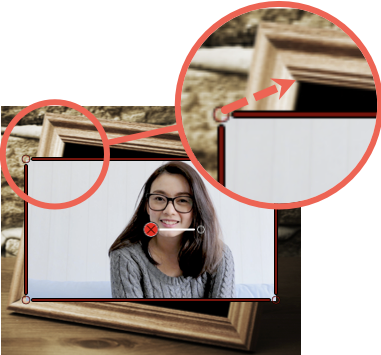
 mode in the canvas toolbar to get a close-up view of corners. See Position Media on the Canvas.
 Unleash the world’s most powerful screen recorder and video editor.
* Already a Camtasia Editor user? Learn how to update to the latest version.