
Break through the noise. Close more deals.
Humanize your outreach, boost reply rates, and accelerate deals with fast, polished video messages – no tech skills needed.Check it Out
The free screen & webcam recorder built for sales.
Fast, free, and frictionless – start recording in seconds from your browser.
Screen and webcam recording
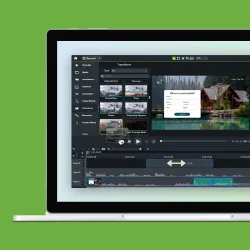
Record your screen and camera, or just your camera – you choose.
Custom looks
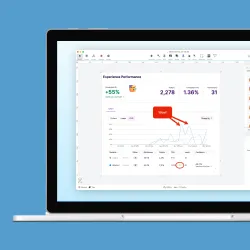
Stand out from the crowd with design templates that engage prospects and match your style.
Send it
Generate a link for easy sharing; no big files to wrangle and no watermarks. Prospects get your message with video clarity.
Get fast feedback
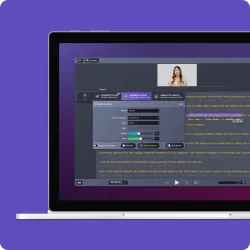
Prospects can react in real-time to your video with questions, comments, and emojis synced with the video.
One platform for every client communication need
No matter your role, our web-based screen recorder adapts to your workflow–no downloads required.
Improve PROSPECTING
Personalize video outreach
Easily record your screen and/or camera to create video introductions, demos or pitches that grab attention with a human touch.
Accelerate sales cycles
Follow up with impact
Send quick video recaps after calls to keep deals warm and maintain momentum. Your friendly face explaining next steps and answering questions is more engaging than a plain email, helping you close deals faster.
Collaborate efficiently
Co-create demos that deliver
Invite sales engineers to contribute feature demos and walkthroughs that speak directly to your prospects needs – the kind of teamwork that wins deals.
Tackle Your Sales Outreach Challenges Head-on
- Video messages stand out with a personal touch, boosting engagement
- No-fuss recording in your browser – no installs or experience needed. Creating a video is as quick as writing an email
- Keep interest high with personalized video follow-ups that recap calls and maintain excitement, helping you close deals faster
- Polished, branded videos with Camtasia online’s templates, HD quality, and no watermarks ensure you always look credible and sharp
- Prospects can comment or react directly on your video, so questions surface immediately and you can respond in context – making outreach feel like a two-way conversation
Frequently asked questions
No, you can capture and save videos with Camtasia online without watermarks.
Once you finish recording, share a link instantly via Screencast. Viewers can leave comments and reactions, or you can invite them to collaborate on your video. You can also download the project file to continue editing in Camtasia Editor.
Yes, recordings are limited to 5 minutes per scene, but you can create unlimited scenes in one video.
Camtasia online lets you apply Custom Looks to give your recording a polished appearance. For full editing control, export your video to the desktop app to trim clips, add effects, and apply transitions.
Using our free screen recording software is simple. Just click “New Project,” choose your recording mode, and begin capturing your screen.
The best screen recorder depends on your needs. For a free online screen capture tool with no downloads, try Camtasia online. For advanced editing, you can send your recordings to the Camtasia Editor.
If your video recording has no sound, check that you’ve selected the screen and chosen the correct audio source. On Windows, Camtasia online captures system audio only when recording a browser tab or the entire screen. On Mac, Camtasia online captures system audio only when recording a browser tab.
Our web-based screen capture tool is 100% free, with no time limits on recordings. You can record, save, and share videos without restrictions.
Our screen capture tool runs entirely in your browser, meaning there’s no need to download software that could contain malware. Your recordings stay private and secure.
Still can’t find what you need? Contact us and we’ll help you out.
