
Skip to content
Do you want to view this page in English?
View all languages:
  • English
    • English
  • Camtasia Icon Logo in Color

    Camtasia Editor

    Learn more about Camtasia Editor

    Screen Recording & Editing

    Snagit Icon Logo in Color

    Camtasia Snagit

    Learn more about Camtasia Snagit

    Screen Capture & Markup

    Audiate Icon Logo

    Camtasia Audiate

    Learn more about Camtasia Audiate

    AI-Powered Text-Based Editor

    View All Products

    FEATURES

    AI video background noise removalAdd music to your videoCustom cursorCrop videoMultitrack screen recorderSpeed up videosVideo background removerVideo compressor
    AI background removerAI blur imageAI image simplifierAI smart redactAI step captureAdd text to imageCrop ImageDelayed screenshot
    AI avatar generatorAI script generatorAI voice generatorAI transcribe audio to textText-Based video editingView All Features
    Video editorVideo templatesView All Features
    Quick share screen recorderRemove text from imageScrolling screenshotSpeech BubbleVideo to GifView All Features
    Image of Camtasia running on a laptop

    Editor

    Record your screen and turn it into professional-quality video content.

    Learn About Camtasia
    Image of Snagit running on a laptop

    Snagit

    Capture your screen, add context, and share in seconds.

    Learn About Snagit
    Image of Snagit running on a laptop

    Audiate

    Edit your Camtasia videos faster with text-based editing and AI tools.

    Learn About Audiate
  • USE CASES

    Screen Recording Icon

    Screen Recording

    Record your screen online

    Corporate Training Icon

    Corporate Training

    Train teams with video

    Team Communication Icon

    Team communication

    Keep teams on the same page

    Documentation Icon

    Documentation

    Guide users with visuals

    Enterprise Icon

    Enterprise

    Scale your communication

    Educators Icon

    Educators

    Engage students with video

    Human Resources Icon

    Human Resources

    Upgrade your comms

    Creators Icon

    Creators

    Make standout videos

    Customer Education Icon

    Customer Education

    Teach customers with video

    Software Marketing Icon

    Software Marketing

    Show off your product

    Technology Training Icon

    Technology Training

    Demo technical concepts

    How-To Video Icon

    How-to Videos

    Show how it’s done

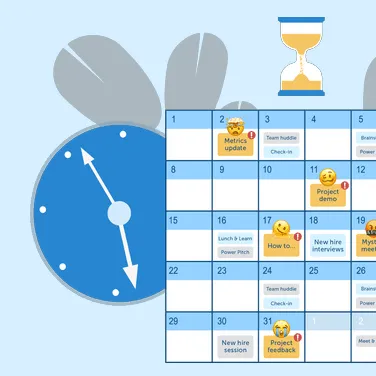
    5-Time-Wasting Meetings and How to Get Them Off Your Calendar Thumbnail

    5-Time-Wasting Meetings and How to Get Them Off Your Calendar

    See how small changes can help you reclaim your time and sanity at work.

    Get the Guide
  • Learning

    Tutorials Icon

    Tutorials

    Follow along, step by step

    Webinars Icon

    Webinars

    Learn from the experts

    Research Icon

    Research

    Stay on top of trends

    Academy Icon

    Academy

    Learn new skills

    Certification Icon

    Certification

    Become a Snagit or Camtasia expert

    Blog Icon

    Blog

    Explore best practices

    Customer Stories Icon

    Customer stories

    See what’s possible

    The Visual Lounge Podcast Icon

    The Visual Lounge Podcast

    Get content tips from the pros

    Support

    Help Center Icon

    Help Center

    Find answers fast

    Software Keys Icon

    Software Keys

    Find your software key

    Email Preferences Icon

    Email Preferences

    Update email settings

    Trust Portal Icons

    Trust Center

    Understand our data policies

  • TechSmith Icon Logo

    About Us

    Get to know TechSmith

    Contact Us Icon

    Contact Us

    Talk to our team

    Partners Icon

    Partners

    Locate or become a partner

    Careers Icon

    Careers

    Come work with us

    Our commitment to responsible use of AI Thumbnail

    Our commitment to responsible use of AI

    See how we're building AI features with transparency, ethics, and user trust in mind.

    Learn More
  • Pricing
  • 0
Review Cart and Checkout
  • Products
  • Solutions
  • Resources
  • About
  • Pricing

Editor

Snagit

Audiate

USE CASES

Screen Recording Icon

Screen Recording

Record your screen online

Corporate Training Icon

Corporate Training

Train teams with video

Team Communication Icon

Team communication

Keep teams on the same page

Documentation Icon

Documentation

Guide users with visuals

Enterprise Icon

Enterprise

Scale your communication

Educators Icon

Educators

Engage students with video

Human Resources Icon

Human Resources

Upgrade your comms

Creators Icon

Creators

Make standout videos

Customer Education Icon

Customer Education

Teach customers with video

Software Marketing Icon

Software Marketing

Show off your product

Technology Training Icon

Technology Training

Demo technical concepts

How-To Video Icon

How-to Videos

Show how it’s done

5-Time-Wasting Meetings and How to Get Them Off Your Calendar Thumbnail

5-Time-Wasting Meetings and How to Get Them Off Your Calendar

See how small changes can help you reclaim your time and sanity at work.

Learning

Learning

Tutorials Icon

Tutorials

Follow along, step by step

Webinars Icon

Webinars

Learn from the experts

Research Icon

Research

Stay on top of trends

Academy Icon

Academy

Learn new skills

Certification Icon

Certification

Become a Snagit or Camtasia expert

Blog Icon

Blog

Explore best practices

Customer Stories Icon

Customer stories

See what’s possible

The Visual Lounge Podcast Icon

The Visual Lounge Podcast

Get content tips from the pros

Support

Help Center Icon

Help Center

Find answers fast

Software Keys Icon

Software Keys

Find your software key

Email Preferences Icon

Email Preferences

Update email settings

Trust Portal Icons

Trust Center

Understand our data policies

TechSmith Icon Logo

About Us

Get to know TechSmith

Contact Us Icon

Contact Us

Talk to our team

Partners Icon

Partners

Locate or become a partner

Careers Icon

Careers

Come work with us

Our commitment to responsible use of AI Thumbnail

Our commitment to responsible use of AI

See how we're building AI features with transparency, ethics, and user trust in mind.

Image of Camtasia running on a laptop

Editor

Record your screen and turn it into professional-quality video content.

Learn About Camtasia

Features

AI video background noise removal

Add music to your video

Custom cursor

Crop video

Multitrack screen recorder

Speed up videos

Video background remover

Video compressor

Video editor

Video templates

View All Features
Image of Snagit running on a laptop

Snagit

Capture your screen, add context, and share in seconds.

Learn About Snagit

Features

AI background remover

AI blur image

AI image simplifier

AI smart redact

AI step capture

Add text to image

Crop Image

Delayed screenshot

Quick share screen recorder

Remove text from image

Scrolling screenshot

Speech Bubble

Video to Gif

View All Features
Image of Snagit running on a laptop

Audiate

Edit your Camtasia videos faster with text-based editing and AI tools.

Learn About Audiate

Features

AI avatar generator

AI script generator

AI voice generator

AI transcribe audio to text

Text-Based video editing

View All Features
  • 0
    Review Cart and Checkout

Break through the noise. Close more deals.

Humanize your outreach, boost reply rates, and accelerate deals with fast, polished video messages – no tech skills needed.


Check it Out

The free screen & webcam recorder built for sales.

Fast, free, and frictionless – start recording in seconds from your browser.
Webcam and Screen Recorder Icon
Screen and webcam recording
Record your screen and camera, or just your camera – you choose.
Custom looks Icon
Custom looks
Stand out from the crowd with design templates that engage prospects and match your style.
Email Icon
Send it
Generate a link for easy sharing; no big files to wrangle and no watermarks. Prospects get your message with video clarity.
Chat bubble icon with three green lines representing fast feedback.
Get fast feedback
Prospects can react in real-time to your video with questions, comments, and emojis synced with the video.
Start Recording Now

One platform for every client communication need

No matter your role, our web-based screen recorder adapts to your workflow–no downloads required.
Improve PROSPECTING

Personalize video outreach

Easily record your screen and/or camera to create video introductions, demos or pitches that grab attention with a human touch.
Accelerate sales cycles

Follow up with impact

Send quick video recaps after calls to keep deals warm and maintain momentum. Your friendly face explaining next steps and answering questions is more engaging than a plain email, helping you close deals faster.
Collaborate efficiently

Co-create demos that deliver

Invite sales engineers to contribute feature demos and walkthroughs that speak directly to your prospects needs – the kind of teamwork that wins deals.
Man Utilizing recording Technology
Camtasia

Tackle Your Sales Outreach Challenges Head-on

  • Video messages stand out with a personal touch, boosting engagement
  • No-fuss recording in your browser – no installs or experience needed. Creating a video is as quick as writing an email
  • Keep interest high with personalized video follow-ups that recap calls and maintain excitement, helping you close deals faster
  • Polished, branded videos with Camtasia online’s templates, HD quality, and no watermarks ensure you always look credible and sharp
  • Prospects can comment or react directly on your video, so questions surface immediately and you can respond in context – making outreach feel like a two-way conversation
Get Started

Frequently asked questions


No, you can capture and save videos with Camtasia online without watermarks.

Once you finish recording, share a link instantly via Screencast. Viewers can leave comments and reactions, or you can invite them to collaborate on your video. You can also download the project file to continue editing in Camtasia Editor.

Yes, recordings are limited to 5 minutes per scene, but you can create unlimited scenes in one video.

Camtasia online lets you apply Custom Looks to give your recording a polished appearance. For full editing control, export your video to the desktop app to trim clips, add effects, and apply transitions.

Using our free screen recording software is simple. Just click “New Project,” choose your recording mode, and begin capturing your screen. 

The best screen recorder depends on your needs. For a free online screen capture tool with no downloads, try Camtasia online. For advanced editing, you can send your recordings to the Camtasia Editor.

If your video recording has no sound, check that you’ve selected the screen and chosen the correct audio source. On Windows, Camtasia online captures system audio only when recording a browser tab or the entire screen. On Mac, Camtasia online captures system audio only when recording a browser tab.

Our web-based screen capture tool is 100% free, with no time limits on recordings. You can record, save, and share videos without restrictions.

Our screen capture tool runs entirely in your browser, meaning there’s no need to download software that could contain malware. Your recordings stay private and secure.
Still can’t find what you need? Contact us and we’ll help you out.
Connect with us!
  • Follow TechSmith on Facebook Follow TechSmith on Facebook
  • Stay current on TechSmith news on LinkedIn Follow TechSmith on LinkedIn
  • Follow TechSmith on YouTube Follow TechSmith on YouTube

© 2026, TechSmith Corporation, All Rights Reserved.

Camtasia products
  • Camtasia Editor
  • Camtasia Snagit
  • Camtasia Audiate
  • Screencast
  • Assets for Camtasia
  • Assets for Snagit
  • Camtasia Online
  • Jing
Solutions
  • Screen Recorder
  • Corporate Training
  • Human Resources
  • Software Marketing
  • Team communication
  • Educational Videos
  • Enterprise
Use Cases
  • Customer Education
  • Students
  • Edit a meeting recording
  • How-to videos
  • Knowledge Capture
  • Sales videos
  • Technology Training
  • Content Creation
  • Feedback
Learning and Support
  • Tutorials
  • Blog
  • Research
  • Academy
  • Customer Stories
  • Help Center
  • Trust Center
  • Software Keys
  • Email Preferences
Resources
  • About TechSmith
  • Contact Us
  • Pricing
  • The Press Room
  • Partners
  • Careers
  • Find a Reseller
  • Online Store FAQ
  • Payment Options
  • Return Policy
  • Privacy Policy
  • Accessibility
  • Contact
  • TechSmith Trust Center
  • English
  • Deutsch
  • Français
  • Español
  • 日本語
  • Português
