
Streamline Your Freelance Workflow
Every minute matters. Camtasia online is a free, click-and-go video maker made for freelancers who want to impress clients and deliver updates instantly with no training necessary – and look good while doing it.Check it Out
Looking for a full non-linear editor? Try the Camtasia Editor.
Designed for How Freelancers Work
Easily create training videos and tutorials with one tool. Record your computer screen, webcam, and audio—all at the same time.
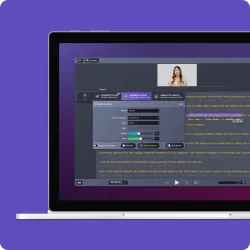
Screen and webcam recording
Instantly record and share portfolio demos, walkthroughs, and client updates
Audio recording
Record system sounds, microphone input, or both at the same time
Custom looks
Use templates to give your recordings a professional look
Send it
Generate a quick link for easy sharing via email; no big files and no log in required by your client to view
How to create your first video
No downloads, no setup—just launch and start recording from your browser.
-
Step 1: Select what you want to record
Open an existing project file, presentation or report you want to share with your client.
-
Step 2: Customize your layout
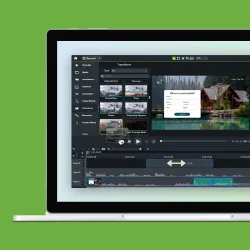
Have some fun browsing the custom looks and layouts. Click and choose the professional design that best suits you.
-
Step 3: Share
Instantly share your video with a link and empower your client to give feedback when it best suits their schedule with timestamped comments right on your video.
One platform for every client communication need
No matter your role, our web-based screen recorder adapts to your workflow–no downloads required.
PROSPECTING
Win new clients with style
Record product demos, presentations and client pitches, then share them instantly. Partnering on the pitch? Invite video collaborators to add a scene directly to your project and export as one cohesive video.
CLIENT MANAGEMENT
Deepen client engagement
Share project updates for real-time feedback, or deliver explainer clips for proposals and new ideas.
ACCELERATE GROWTH
Share ideas that sell
Create sharp, high-quality demos and walkthroughs for new products and offers. Use visionary ideas to upsell clients and keep them from switching to competitors.
Why Freelancers Choose Camtasia Online
- 100% free with no downloads or installations
- Effortless client collaboration—quick feedback, instant sharing, and streamlined delivery
- Stand out by delivering clear, engaging video updates that build stronger client relationships
- Grow your business by sharing polished async videos that reduce the need for endless meetings
- Manage your time better. Send updates on your schedule and avoid back-to-back calls
Frequently asked questions
No, you can capture and save videos with Camtasia online without watermarks.
Once you finish recording, share a link instantly via Screencast. Viewers can leave comments and reactions, or you can invite them to collaborate on your video. You can also download the project file to continue editing in Camtasia Editor.
Yes, recordings are limited to 5 minutes per scene, but you can create unlimited scenes in one video.
Camtasia online lets you apply Custom Looks to give your recording a polished appearance. For full editing control, export your video to the desktop app to trim clips, add effects, and apply transitions.
Using our free screen recording software is simple. Just click “New Project,” choose your recording mode, and begin capturing your screen.
The best screen recorder depends on your needs. For a free online screen capture tool with no downloads, try Camtasia online. For advanced editing, you can send your recordings to the Camtasia Editor.
If your video recording has no sound, check that you’ve selected the screen and chosen the correct audio source. On Windows, Camtasia online captures system audio only when recording a browser tab or the entire screen. On Mac, Camtasia online captures system audio only when recording a browser tab.
Our web-based screen capture tool is 100% free, with no time limits on recordings. You can record, save, and share videos without restrictions.
Our screen capture tool runs entirely in your browser, meaning there’s no need to download software that could contain malware. Your recordings stay private and secure.
Still can’t find what you need? Contact us and we’ll help you out.
