









AI auto zoom and pan for better edited videos
Automatically focus on the most important parts of your screen recording with Camtasia’s SmartFocus. With AI-added zoom and pan animations, your videos stay engaging and perfectly framed at every size.
AI zoom effects that make videos more engaging
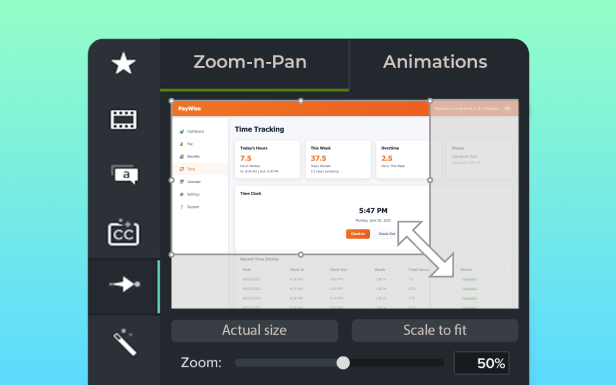
Bring focus to what matters most with automatic AI-powered zoom and pan — no manual keyframing required. Perfect for tutorials, screen recordings, and social media clips, SmartFocus adds smooth zooms and pans, so you can spend more time creating great video content.- Automatically highlight key actions or important areas on screen
- Pan smoothly across the screen without manual editing
- Cut hours of editing time with AI-driven precision
- Add a polished, professional feel to any workflow demo or tutorial
Why Camtasia offers the best AI auto zoom and pan
Camtasia’s SmartFocus gives your videos a polished edge with automatically created zoom and pan animations, saving you from time-consuming manual edits or one-size-fits-all presets.
Smarter zoom in and pan for tutorials
SmartFocus AI technology follows mouse movements, scrolling activity, and clicks to detect where your viewers’ attention should be, then creates zooms and pans that guide your audience through each step.

Professional polish without complex presets
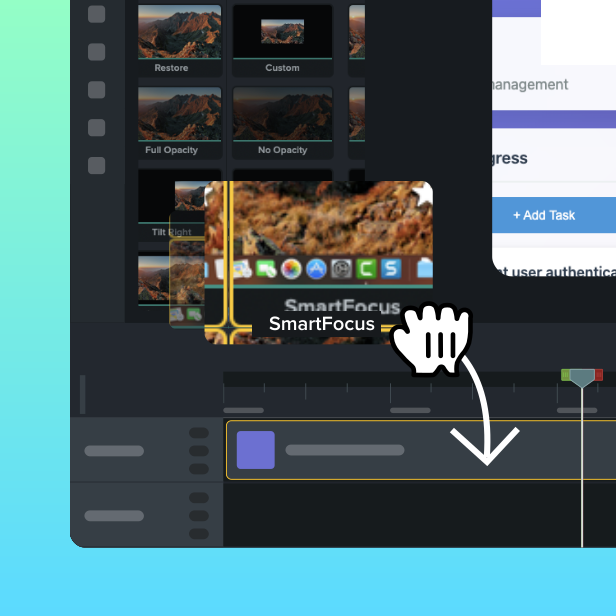
While advanced video editing software like Premiere Pro relies on manual keyframing or rigid presets, Camtasia does the work for you. Just drop SmartFocus onto your recording for instant, customizable smooth motion effects.
AI-powered results for any creator
SmartFocus is built for everyone, whether you’re a first-time creator or an experienced filmmaker. It’s ideal for screen recordings, training sessions, and social clips that need to adapt to different screen sizes and keep important actions in view.

Looking for help with AI auto zoom and pan?
get everything in one subscription
Get Camtasia Audiate today
Ready to create professional videos with full control over every element? Camtasia’s multitrack recording makes it easy to capture, edit, and produce videos that stand out.
Camtasia Essentials
Kick-start your video creation
Loading…
/ year
Billed yearly
Camtasia’s easy and powerful video editor with:
- Multi-source video and audio recording
- Enhanced screen recording capabilities
- On-screen annotations, callouts and effects
- Dozens of free titles, lower-thirds, and templates
- And more!
Camtasia Create
Accelerate your video creation
Loading…
/ year
Billed yearly
Everything in Camtasia Essentials, plus:
- Text-based video editing
- AI-generated script creation
- Audio cleanup: remove uuhms, aahs, and noise
- 200+ AI-generated audio voices and styles
Camtasia Pro
Scale your video creation
Loading…
/ year
Billed yearly
Everything in Camtasia Create, plus:
- Video reviews and collaboration
- AI-translated scripts and captions
- AI-generated video titles, descriptions, and chapters
- 100M+ premium assets