CHANGELOG

What’s new in Camtasia?

Turn on your auto-updates because our team is always cooking up something fresh.

Filter posts

Clear filters

Release Type

Operating System

Tags

November 2025

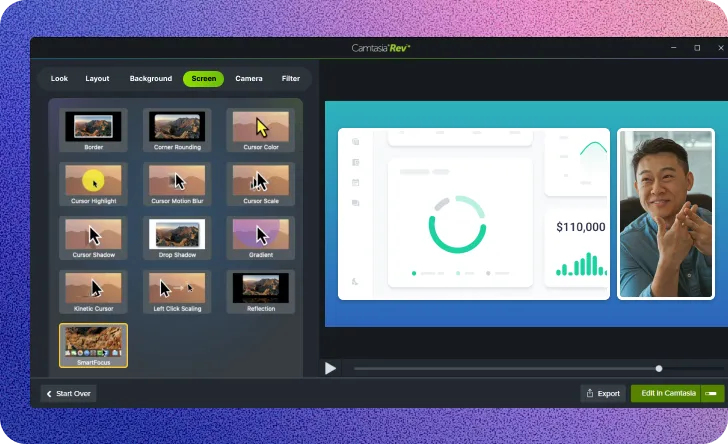
A SmartFocus screen effect option in the Camtasia Rev window.

Apply SmartFocus to Rev media for automatic zooms

Use Smart Focus to automatically add zoom and pan animations to your Camtasia Rev recordings. SmartFocus is now available as a screen effect in Rev. Apply it to any Rev recording or media on the timeline to guide viewer attention. This feature analyzes your screen recording and adds motion to follow your cursor or focus on active windows.

Ready to try it for yourself?
View Tutorial
Camtasia
MacOSWindows
Screen RecordingEditing
2026
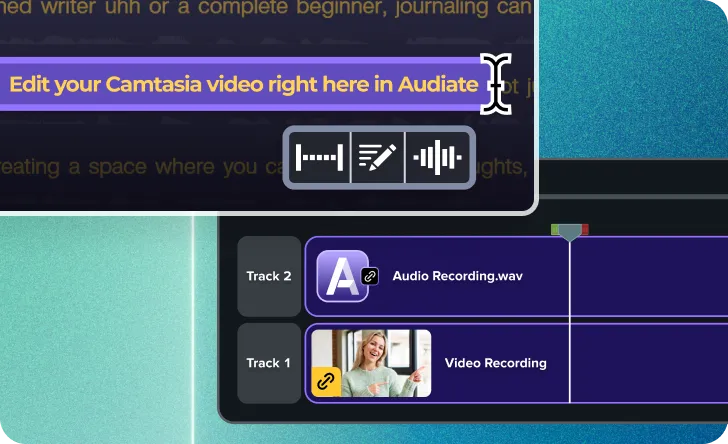
Text being edited in Audiate and edits being synced on Camtasia Editor timeline.

Edit video by editing text with Camtasia Audiate

Use text-based editing to speed up your video editing. A new button sends your timeline media directly to Camtasia Audiate, which transcribes your audio. You can then edit your video recording by editing the text transcript. This is a fast way to remove mistakes, filler words, or silence. You can also use Audiate’s professional audio effects to clean up your narration.

Ready to try it for yourself?
View Tutorial
Camtasia
MacOSWindows
AudioEditing
2026

July 2025

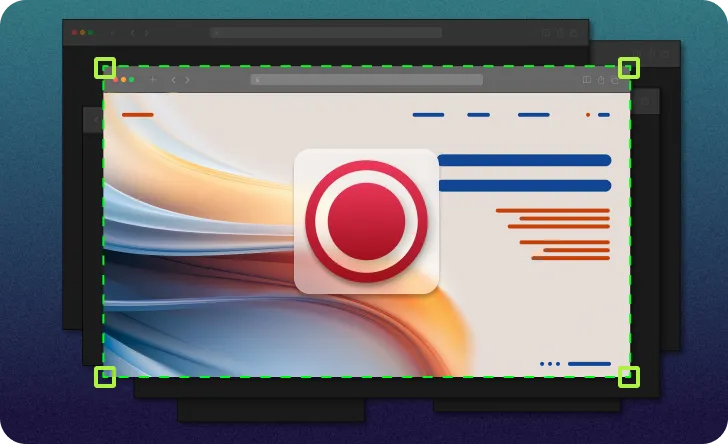
Computer screen with multiple windows open, but only one is being recorded.

Single window recording

Isolate your screen and audio recording to a single window without the distraction of anything else popping in to steal the focus.

Worried about distracting notifications showing up in your recording? Put the worries aside, Camtasia’s flexible recorder blocks out the noise and only records what you want. Choose a specific window in the Recorder and only record what is related to the window. This includes any window application audio. Able to resize window recordings during editing without any loss of quality.

Ready to try it for yourself?
View Tutorial
Camtasia
MacOSWindows
Screen Recording
2025.2
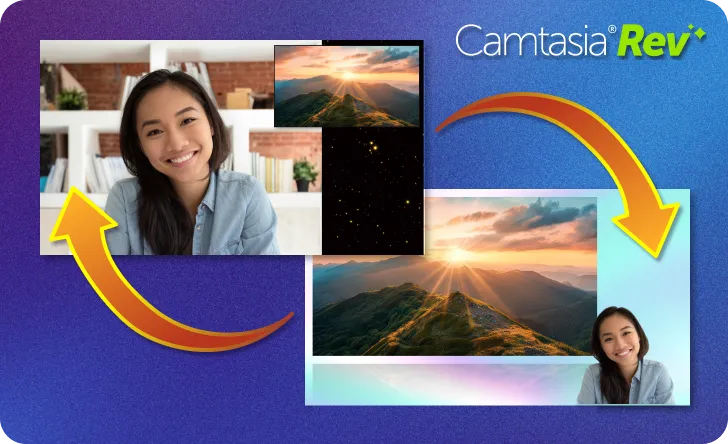
One layout of a video with screen and camera recording switching to a different layout.

Rev Media now editable on timeline (Beta)

Instantly make adjustments to Rev recordings right on the timeline. Quickly and effortlessly modify the look, layout, and effects for entire recordings or split sections of your video.

Recording with Rev now creates Rev Media on timeline (user-toggleable in preferences) to provide flexibility in how you shape the look and feel of your video, with easy access to:

  • Modify Rev Media
  • Split Rev Media
  • Unpack Rev Media
  • Ready to try it for yourself?
    View Tutorial
    Camtasia
    MacOSWindows
    Screen RecordingEditing
    2025.2

    February 2025

    Audio meter being adjusted to remove background noise

    Eliminate Distractions with AI Background Noise Removal

    Camtasia’s AI Background Noise Removal filters out distractions like fans, chatter, and clicks—keeping the focus on your voice.

    Background noise is unpredictable—whether it’s a lawn mower outside, a noisy fan, or unexpected interruptions at home. With AI background noise removal in Camtasia, you can isolate your voice and remove distractions without worrying about your recording environment.

    Unlike other tools, Camtasia’s AI noise removal effect isn’t permanent—you can adjust it anytime or revert to the original audio if needed.

    💡Ways to use AI background noise removal:

  • Eliminate distractions like fan noise, keyboard clicks, and background chatter from your audio.
  • Record anywhere without worrying about your surroundings..
  • Clean up audio after recording–adjust noise reduction levels or turn it off anytime.
  • Forget the hassle of re-recording due to unexpected noise. Record first, fix the audio later, and let Camtasia keep the focus on your voice.

    Ready to try it for yourself?
    View Tutorial
    Camtasia
    MacOSWindows
    AudioAI
    2025.0.0
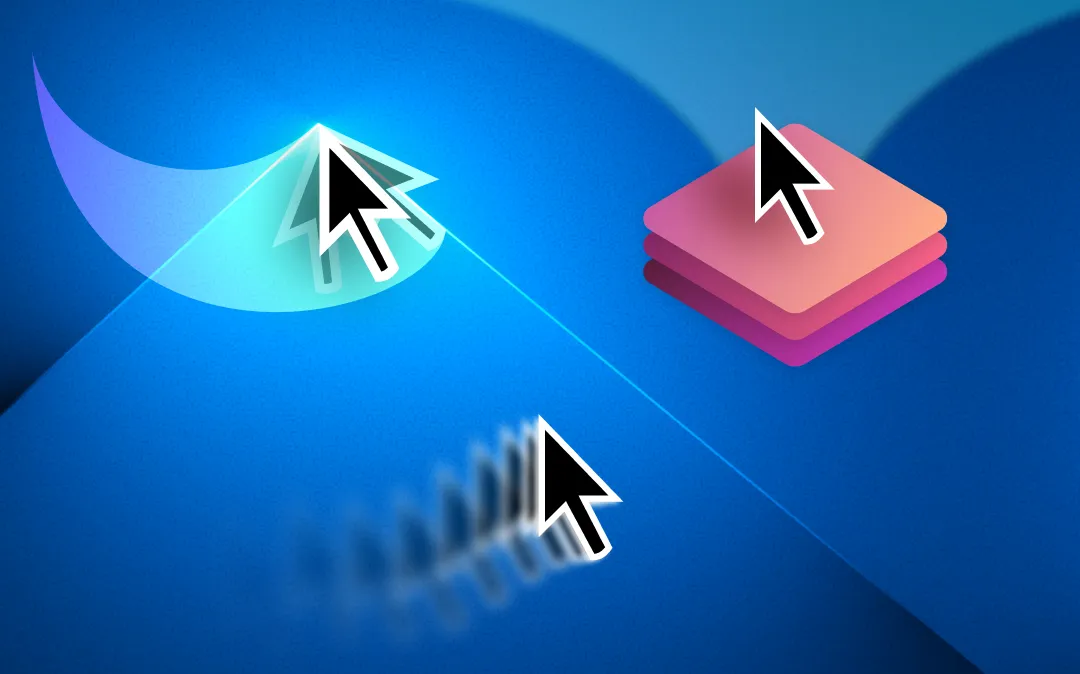
    Images of mouse cursors with motion blur, kinetic cursor, and cursor elevation applied.

    Make Cursor Movements Look Cinematic with New Effects

    Camtasia’s new cursor effects add motion blur, dynamic movement, and elevation to make your cursor clearer and more engaging in screen recordings.

    Your cursor is one of the most important tools in a screen recording—now, Camtasia gives you even more control over how it moves and appears with three new cursor effects designed to enhance clarity and engagement.

    New cursor effects:

  • Motion Blur Effect – Smooth cursor movement with a natural blur for a more polished look.
  • Kinetic Cursor – Add momentum to cursor movement, making it feel dynamic and fluid.
  • Cursor Elevation – Bring the cursor to the front, ensuring it remains visible above callouts, annotations, and effects.
  • Why you’ll love these new cursor effects:

  • Make cursor movements easier to follow in tutorials and demos.
  • Add a professional touch with smooth, realistic motion.
  • Keep the cursor visible and clear, even in complex visuals.
  • With these new effects, your cursor is more than just a pointer—it’s a storytelling tool.

    Try them out today and make your videos more engaging than ever!

    Ready to try it for yourself?
    View Tutorial
    Camtasia
    MacOSWindows
    Screen RecordingEditing
    2025.0.0

    December 2024

    An example of a video that includes an avatar that was generated in Camtasia Audiate.

    Sync Generate Avatar Updates from Audiate

    Sync updates from Audiate’s Generate Avatar feature in Camtasia to integrate dynamic avatars into your videos.

    Camtasia now supports receiving and synchronizing updates from Audiate’s Generate Avatar feature, enabling seamless integration between the two tools. Easily incorporate avatars into your videos and keep everything perfectly synced as you edit.

    💚 Why you’ll love this new feature:

  • Effortlessly synchronize generated avatars from Audiate to Camtasia.
  • Enhance your videos with engaging, dynamic avatar elements.
  • Save time by maintaining consistency between tools during edits.
  • Try syncing updates from Audiate’s Generate Avatar feature to bring a new level of creativity to your videos!

    Camtasia
    MacOSWindows
    EditingAI
    2024.1.4

    June 2024

    The different Dynamic Caption styles that you can choose from in the UI.

    Bring Your Words to Life with AI-Powered Live Captions

    Use AI-powered live captions in Camtasia to display spoken words on the screen in real-time, with customizable styles and multilingual support.

    Camtasia’s new Dynamic Captions feature, powered by AI, transforms how you connect with your audience by showing every spoken word on-screen as it’s spoken. This real-time captioning not only enhances comprehension but also ensures your content is accessible to a broader audience.

    Customize your style
    Use preset designs for instant captions or adjust the properties panel to create captions that perfectly match your brand’s aesthetic.

    Support multiple languages
    Reach global audiences with captioning options in a variety of languages.

    Streamline your workflow
    Skip the time-consuming manual process of adding captions and let AI handle it for you.

    💡 Ways to use dynamic captions:

  • Create polished tutorials or training materials with real-time subtitles for clarity.
  • Add an engaging visual layer to presentations or videos for better viewer focus.
  • Deliver multi-language content for international teams or audiences.
  • Whether you’re crafting instructional videos, professional presentations, or educational content, dynamic captions ensures your message is clear and captivating—every time.

    Ready to try it for yourself?
    View Tutorial
    Camtasia
    MacOSWindows
    AudioEditingAI
    2024.0.0
    Visual representation of different recording sizes in the Camtasia editor.

    Capture Smoother, Sharper Recordings with the New Engine

    Capture higher frame rates and resolutions with Camtasia’s new, improved screen recording engine.

    Camtasia now features a powerful new recording engine designed to deliver higher frame rates and higher resolution screen recordings. Whether you’re capturing detailed tutorials or visually rich content, your recordings will look smoother and more polished than ever.

    💚 Why you’ll love the new recording engine:

  • Achieve sharper visuals with higher resolution recordings.
  • Create professional-grade videos with smoother frame rates.
  • Elevate your content quality without extra effort.
  • Experience the difference with Camtasia’s new recording engine and take your screen recordings to the next level!

    Camtasia
    MacOSWindows
    Screen Recording
    2024.0.0
    This site is registered on wpml.org as a development site. Switch to a production site key to remove this banner.